
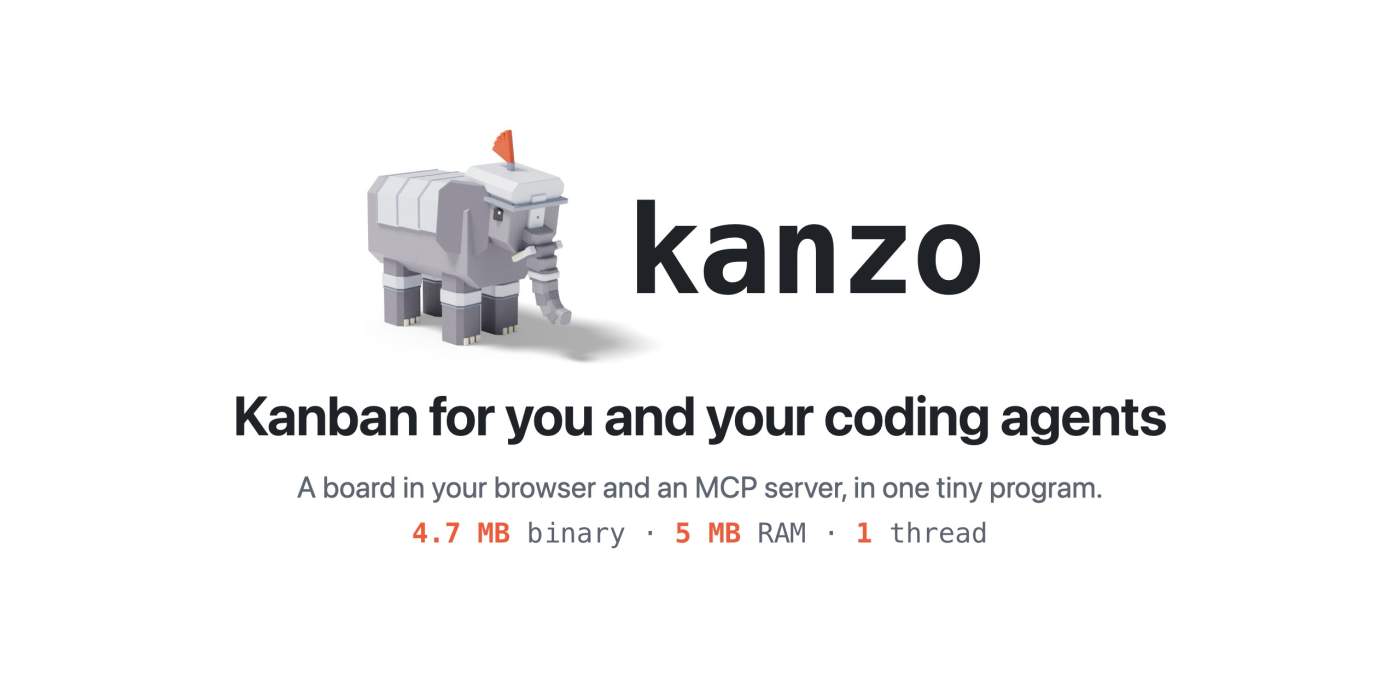
This Kanzo review looks at an unusually small open-source tool: Kanzo is a self-hosted kanban board in the browser and, at the same time, an MCP server for coding agents, shipped as one compact Rust program. The repository is at github.com/emanuele-em/kanzo. According to the README, people and agents work on the same cards — on one machine, or on a board they share — with no account and no extra server. We installed the current release, 0.4.2 (published 11 November 2026), and started the board locally. We did not run a day-to-day test with Claude Code or Codex. The author’s startup and token figures are quoted as such; we mark clearly what we verified ourselves.
What is Kanzo?
Kanzo is not another ticket SaaS, and it is not an agent development environment. The README describes three doors into the same data: the board in the browser for you, MCP for your agents (they take tasks, move cards and comment), and the kanzo command for the terminal and scripts. You are not meant to edit files by hand. The first run creates ~/kanzo (or another folder via --home or KANZO_HOME); among the files we saw after kanzo init were the SQLite database kanzo.db and settings in config.toml.
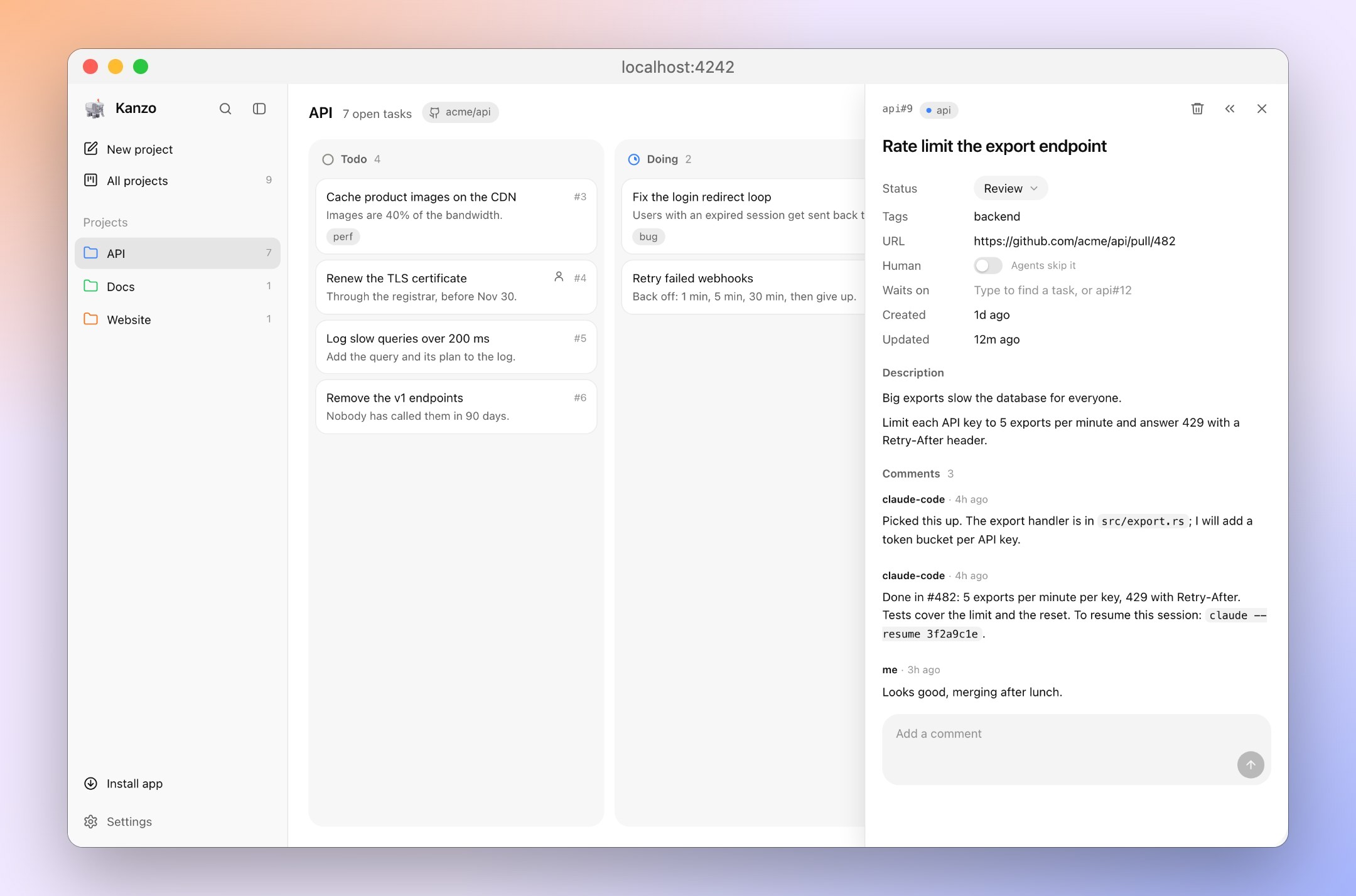
The default columns are todo, doing, review and done. That is what version 0.4.2 returned from its local board API. Settings can add a Backlog column that, per the docs, agents leave alone until you move work to todo. Cards can be marked Human, and agents are told to leave those to you. A task can wait on others; next_task skips it until the blockers are done — a card still in review continues to block.
Who builds it?
The author and maintainer is Emanuele Micheletti (GitHub: emanuele-em). The public repository was created on 25 October 2026; the first release, v0.1.0, followed on 26 October 2026. Micheletti published a technical write-up of the design and measurement methods on 27 October 2026 at micheletti.io/kanzo. The license in the repository and in Cargo.toml is AGPL-3.0-only.
The pace is brisk: from 0.1.0 to the 0.4.2 release of 11 November 2026 that we tested, barely two weeks passed. 0.4.2 includes fixes for Windows updates, for MCP clients after a cancelled call or without initialize, and for exporting from a machine that has joined someone else’s board — several of them from community pull requests. The GitHub API reported 1,155 stars, 92 forks, 5 open issues and 4 open pull requests on 11 November 2026 (afternoon, Europe/Berlin). Stars are not a quality score, but they show how quickly a project this young became visible.
Core features from the docs and our install
The board in the browser
kanzo serves the board at http://localhost:4242 by default and opens it in a browser; --no-open leaves that to you. Our 0.4.2 instance answered with HTTP 200, the title “Kanzo”, and the header x-kanzo-version: 0.4.2. The UI includes search, filters, a list view, tags, images on cards and comments, optional task URLs (for example a pull request), and an installable app in Chrome or Edge. Board language, in Settings, is English or Chinese.
MCP for coding agents
For agents, Kanzo is built as an MCP server. The README gives explicit setup commands for Claude Code and Codex:
claude mcp add kanzo --scope user -- kanzo mcpcodex mcp add kanzo -- kanzo mcp
Other MCP clients run kanzo mcp (stdio) or use the running board at http://localhost:4242/mcp. Our install printed that HTTP endpoint at startup, and the generated config.toml had mcp_http = true. A full MCP handshake with Claude Code or Codex was not part of this review.
In the 0.4.2 source, the tools include list_projects, create_project, link_repo, list_tasks, get_task, create_task, update_task, add_comment, next_task and delete_task. next_task takes the top ready todo card, moves it to doing and returns it as plain text. Replies are deliberately short plain text rather than JSON, so they cost fewer tokens in an agent’s context — that is the documented design. The token figures (about 1,000 tokens for the tool list once per session, 10 to 60 tokens per reply) were measured by the author on an Apple M4; we did not recount them.
Projects can be linked to a GitHub repo of the form owner/repo. If an agent omits the project, Kanzo uses the git remote of its working directory, according to the docs. That matches the intended prompt: “take the next task from Kanzo and do it.” For more on where MCP sits in an agent stack, see our piece on MCP, Memory, Skills, and Hooks.
CLI, sharing and sync
The 0.4.2 help we ran lists, among other commands, kanzo mcp, init, sync, export, share, join, leave, update and service. kanzo share on shares the board on the network; other machines join with kanzo join — on a LAN, or over a VPN such as Tailscale, NetBird or WireGuard, for example when a Raspberry Pi holds the board. Alternatively, a private git repo can keep ~/kanzo in step across machines you use one at a time. We ran kanzo export locally; it prints the board as Markdown (JSON is optional). kanzo service install starts the board at login; we did not set that up.
Platforms and install
The README documents an installer for macOS and Linux, including Raspberry Pi, and a PowerShell script for Windows. Release 0.4.2 also ships prebuilt archives for Apple Silicon and Intel Macs, Linux (x86_64 and ARM musl builds, including armv7) and Windows (x86_64, MSVC). If you prefer to build it yourself, the crate is on crates.io as cargo install kanzo. The README says every release is signed by GitHub (gh attestation verify); we did not run that check. For this review we downloaded the official kanzo-x86_64-unknown-linux-musl.tar.xz archive from 0.4.2 and verified the published SHA-256 checksum before starting the binary.
Measured on our Linux x86_64 system on 11 November 2026: the unpacked binary is 5,291,224 bytes (about 5.05 MiB). At idle the process used 4,292 KB RSS and one thread. Time to the board’s first HTTP 200 was about 26 milliseconds across five runs. The README quotes different figures, measured by the author on an Apple M4: a 4.7 MB program, 5 MB of RAM idle and 12 MB with 3,000 tasks, a 3 ms start, and 17 ms to load a 3,000-task board. The order of magnitude matches, but these are not the same measurement — 3 ms is startup; our 26 ms is time to an HTTP response.
License and pricing
Kanzo itself is free and does not require an account. The license is AGPL-3.0: you may use, change and share it; if you offer a modified version over a network, you must share its source too. That can matter for some commercial deployments, and it sets Kanzo apart from MIT-licensed environments such as Orca. Ongoing cost, if any, sits with the agent subscriptions you already pay for, not with Kanzo.
An important operational note appears in the config.toml created on first run and in the README: the board listens on 127.0.0.1 by default. There are no logins. Anyone who can reach the port can read and change the board and use its MCP endpoint. Share it only on a network you trust; over the internet, the documentation points to a VPN, not to exposing the port openly.
Context: a kanban with MCP, not an ADE like Orca
Kanzo is not competing with editors or agent harnesses. It does not replace Claude Code or Codex, and it is not an agent development environment like Orca, which orchestrates CLI agents in their own Git worktrees. We walked through that ADE in our Orca AI Editor review. Kanzo is the shared task board those agents can write to — a complement, not a substitute. For a comparison of the agents themselves, see AI Agent Tools Compared.
Documented and verified strengths
- A very small single binary with no Docker, runtime or web build step; on Linux we saw about 5 MiB on disk and a few megabytes of RAM at idle
- Local, portable data in one folder, started with a single command
- MCP-first: documented Claude Code and Codex setup, short plain-text replies
- LAN or VPN sharing and optional git sync, without another SaaS
- Fast, active maintenance and visible community contributions
- A clear security stance: localhost by default, no logins
Limits and open questions
- A very young project (public since late October 2026), still on 0.4.x
- No authentication; shared boards belong only on trusted networks
- AGPL-3.0 may complicate some company deployments
- The UI is currently English or Chinese only
- We did not test Windows, Raspberry Pi, live sharing between machines, or day-to-day use with Claude Code or Codex
- The author’s token and performance figures (Apple M4) were not reproduced with the same method
Verdict: who is Kanzo for?
Kanzo is for people who already work with coding agents and want a shared, local task board without standing up ticket SaaS or a heavy orchestration stack. The promise is coherent: one board, one MCP server, one small binary. What we could verify ourselves — install, startup, version 0.4.2, resource use, default columns, export, and the localhost default — fits that promise. Whether agents reliably claim, comment and hand off cards in daily work is a test you still have to run; that is where the tool will prove itself.
A sober conclusion: for individuals and small setups with Claude Code, Codex or other MCP clients, Kanzo is worth a look, especially given the low overhead and the clear license. It is not an ADE and not a replacement for the agents themselves. To get started, use the installer, binaries and docs in the GitHub repository, or the 0.4.2 release.