A single prompt will soon be enough to produce a market analysis, plan an email campaign, and code a software module at the same time. That is exactly what Google is promising with its latest announcement. On October 8, 2026, Google Cloud unveiled the Gemini agent at its “Gemini at Work 2026” event, a universal AI agent that, according to Google Cloud CEO Thomas Kurian, unifies knowledge work, content creation, coding, and question answering in a single system. For developers and IT decision-makers, the Gemini agent Google Cloud marks a turning point: away from isolated chatbots and toward an end-to-end agent that plans and acts independently and delivers results directly into existing work environments.
Table of Contents
Key Takeaways
- The Gemini agent Google Cloud is a single, universal agent for knowledge work, content, coding, and research, controlled through goals rather than step-by-step instructions.
- It runs entirely in the cloud with cross-device memory and can keep working on tasks over hours or even days.
- For every task, the agent automatically chooses between Google’s Gemini models and Anthropic’s Claude models, managed through a smart-routing feature with budget limits.
- Available in Google Workspace, Microsoft 365, Slack, as a desktop and mobile app, and as a “headless agent” via API.
- Industry versions for financial services and legal departments are already in preview; broad availability for Workspace customers is planned “soon,” though no firm date has been given.
What Is the Gemini Agent Google Cloud?
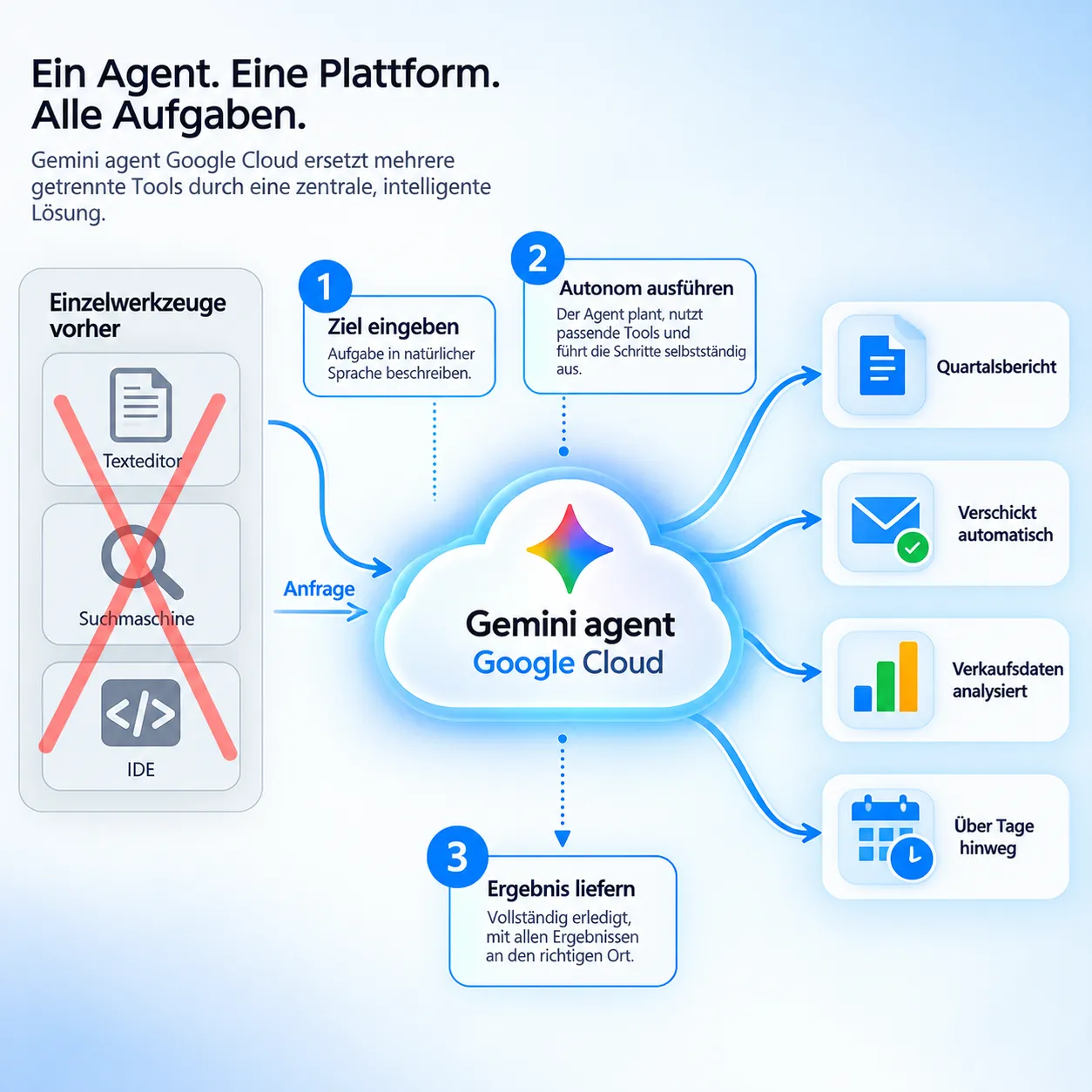
At its core, the Gemini agent Google Cloud replaces several individual tools with one central agent. Instead of using separate tools for text generation, research, and programming, users state a goal, for example “create a quarterly report from this sales data and send it to the leadership team.” The agent handles planning, research, formatting, and delivery on its own.
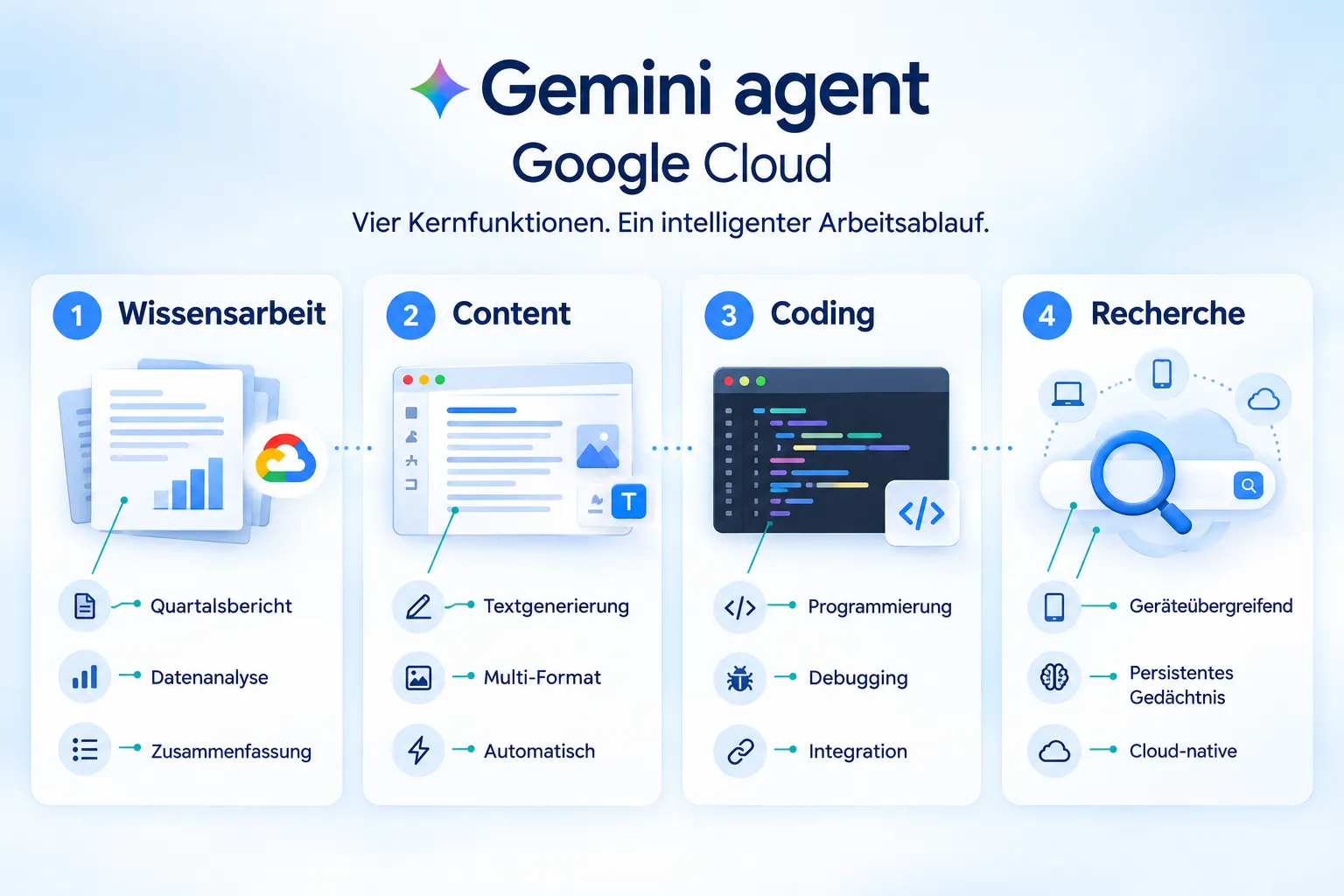
Google calls this principle “objectives, not instructions.” The agent breaks down complex tasks on its own, calls on so-called skills and tools as needed, connects to internal company systems, and delivers the finished result wherever it’s needed: in a document, an email, or directly in the code editor.
Particularly relevant for developers is its availability as a so-called “headless agent.” In this mode, the Gemini agent Google Cloud has no user interface of its own and is instead embedded into third-party applications via an API. This lets companies build agent capability into their own products, internal tools, or customer portals without users ever having to leave the Google interface.
The agent is available across platforms:
| Access Path | Description |
|---|---|
| Web, iOS, Android | Direct access via browser or mobile app |
| Windows, Mac | Native desktop integration |
| Command line | For developers and technical teams |
| Google Workspace | Gmail, Drive, Docs, Slides, Sheets, Chat, Calendar |
| Microsoft 365, Slack | Integration into existing enterprise systems |
| API (headless) | Embedding into third-party applications without a dedicated interface |
Architecture of the Gemini Agent Google Cloud: Memory and Model Selection
What technically sets the Gemini agent Google Cloud apart from classic chat assistants is its cloud-native architecture with unified memory. The agent runs entirely server-side, regardless of which device or channel a user is interacting through at any given moment. In practical terms, this means a task that requires hours or even days of compute time keeps running in the background, even if the user closes their laptop or exits the app.
To work consistently over longer periods, Google relies on four distinct types of memory:
- Session Memory, retains the context of the current task, even across multiple days.
- Semantic Memory, a structured knowledge base built from documents and previous conversations.
- Procedural Memory, stores how specific tasks are carried out, including self-written skills.
- Episodic Memory, a log of every task completed so far.
Governance for the Gemini Agent Google Cloud: Budgets and Access Rights
A key feature for IT decision-makers is model selection. The Gemini agent Google Cloud does not rely on a single AI model; instead, it chooses the right model for each subtask, currently drawing on both Google’s own Gemini models and Anthropic’s Claude models. According to Google, additional models are planned for the future. This decision is notable because Google is explicitly relying on a direct competitor’s model whenever it’s the better choice for a given task.
A feature called “Smart Routing” automatically evaluates every request and selects the model with the best ratio of quality to cost. For enterprises, this means less manual configuration, but also less direct control over individual model calls. Google addresses this loss of control with budget caps: administrators can set a limit per project. Once that limit is reached, the agent automatically stops further execution, a practical safeguard against runaway costs during heavy use.
“Users set goals, not step-by-step instructions; the agent plans on its own and delivers finished results directly into documents, emails, and development environments.”
Deployment in Workspace, as Coworker, and via API
In Google Workspace, the agent can be called up directly in Gmail, Drive, Docs, Slides, Sheets, Chat, and Calendar through a simple @Gemini mention. Users don’t need to open a separate application; instead, they invoke the agent right where they’re already working.
Beyond that, the Gemini agent Google Cloud can be deployed as a persistent “coworker” for entire teams. In this role, the agent gets its own Workspace account complete with an email address, calendar, and directory entry, much like a human team member. Each coworker agent has its own identity and is strictly limited to the information that team members explicitly share with it. Automatic access to the entire organization is therefore ruled out, an important point for privacy and compliance officers.
For development teams, API integration is especially relevant. Since the agent can also run “headless,” it can be embedded into existing products, internal dashboards, or customer-facing applications without the actual Google interface ever becoming visible. This positions the Gemini agent not just as an end-user tool, but also as an infrastructure building block for companies’ own AI applications.
Industry Solutions and Security
Google has already announced the first industry-specific versions of the Gemini agent Google Cloud. For the financial services sector, a preview version is available that draws on data from FactSet and LSEG and comes with more than 50 specialized skills. For legal departments, a version exists that integrates with the document management platforms NetDocuments and iManage.
According to Google, further industry versions for government, healthcare, and retail are in preparation. This specialization shows that Google is positioning the agent not as a generic tool, but as an adaptable platform that can handle industry-specific data sources and compliance requirements.
Two aspects are especially relevant for security officers: granular access control for coworker agents and budget control for model routing. Both mechanisms address typical concerns around enterprise AI agent deployment, namely uncontrolled data access and uncontrolled costs.
Relevance for Developers and Enterprises
For developers, the Gemini agent Google Cloud changes how automation is designed. Instead of rigid workflows with fixed rules, goal-based control takes center stage, with the agent itself deciding on the path to a solution. This reduces the effort needed to maintain complex automation logic, but in turn requires a shift in thinking around testing and quality assurance: developers need to check whether the paths chosen by the agent lead to the desired outcomes, not just whether individual steps were executed correctly.
For IT decision-makers, three points stand out:
- Model flexibility: Using Gemini and Claude models side by side reduces dependence on a single provider.
- Cost control: Per-project budget caps create planning certainty amid variable model usage.
- Identity and access management: Coworker agents with their own identity and restricted access rights make it easier to comply with internal policies.
For enterprises overall, the platform’s breadth, from the web to Microsoft 365 to Slack, means a lower barrier to entry, since existing work environments are extended rather than replaced.
Availability and Outlook
The Gemini agent Google Cloud is currently in a private preview phase. Google has announced that broad availability for Workspace customers on certain Business and Enterprise plans will follow “soon.” Google has not yet communicated a concrete release date, pricing, or a list of available regions. Companies wanting to test the agent early should keep an eye on the official Google Cloud blog and on announcements around Workspace updates.
Conclusion
The Gemini agent Google Cloud brings together several individual functions, text work, research, coding, and communication, into a single, goal-driven system. The combination of cross-platform availability, persistent memory, flexible model selection between Gemini and Claude, and granular access control makes the agent a serious building block for the next phase of enterprise automation. Developers should familiarize themselves early with API integration and “headless” deployment, while IT decision-makers should factor the governance mechanisms on offer, budget limits, and identity concepts for coworker agents, into their security policies. Since Google has not yet named a firm date for broad availability, signing up for the private preview and conducting an internal assessment of which use cases stand to benefit most from the new agent model is advisable in the meantime.