An editorial calendar that updates itself sounds like something out of the future. It isn’t anymore. Since mid-2026, more and more content teams have been connecting their Notion databases directly to AI agents that maintain status fields, log publications, and keep entire content pipelines in view, without anyone having to tick a box by hand [1]. The Notion AI editorial calendar is no longer a nice-to-have; for many teams it’s the practical entry point into AI-powered automation.
This article is part 3 of the series “Notion for Teams.” While part 1 covered the basics and part 2 covered databases and views, this piece is about how AI systems can use Notion as a central memory for ongoing projects, with the editorial calendar as a concrete, practical example.
Table of Contents
Key Takeaways
- Notion can serve as a structured “memory” for AI agents, keeping project status, tasks, and content accessible at all times.
- A Notion AI editorial calendar can be set up so an AI assistant automatically updates status fields after every publication.
- The Notion API is the technical docking point: agents read and write database entries, update properties, and react to webhooks.
- Ready-made automation solutions using Zapier, Make, or Notion’s own agents lower the barrier to entry significantly [8][9].
- code404zero.com maintains its own editorial calendar exactly this way, as a real, practical example within this very article.
Notion as a Memory for AI-Powered Projects
AI assistants are only as good as their access to reliable information. A chatbot without context makes things up; an agent without a data source loses track after every session. This is exactly where the idea of using Notion as an external memory comes in: instead of hiding information in a chat history, project status, tasks, deadlines, and content live in structured databases that an agent can access at any time.
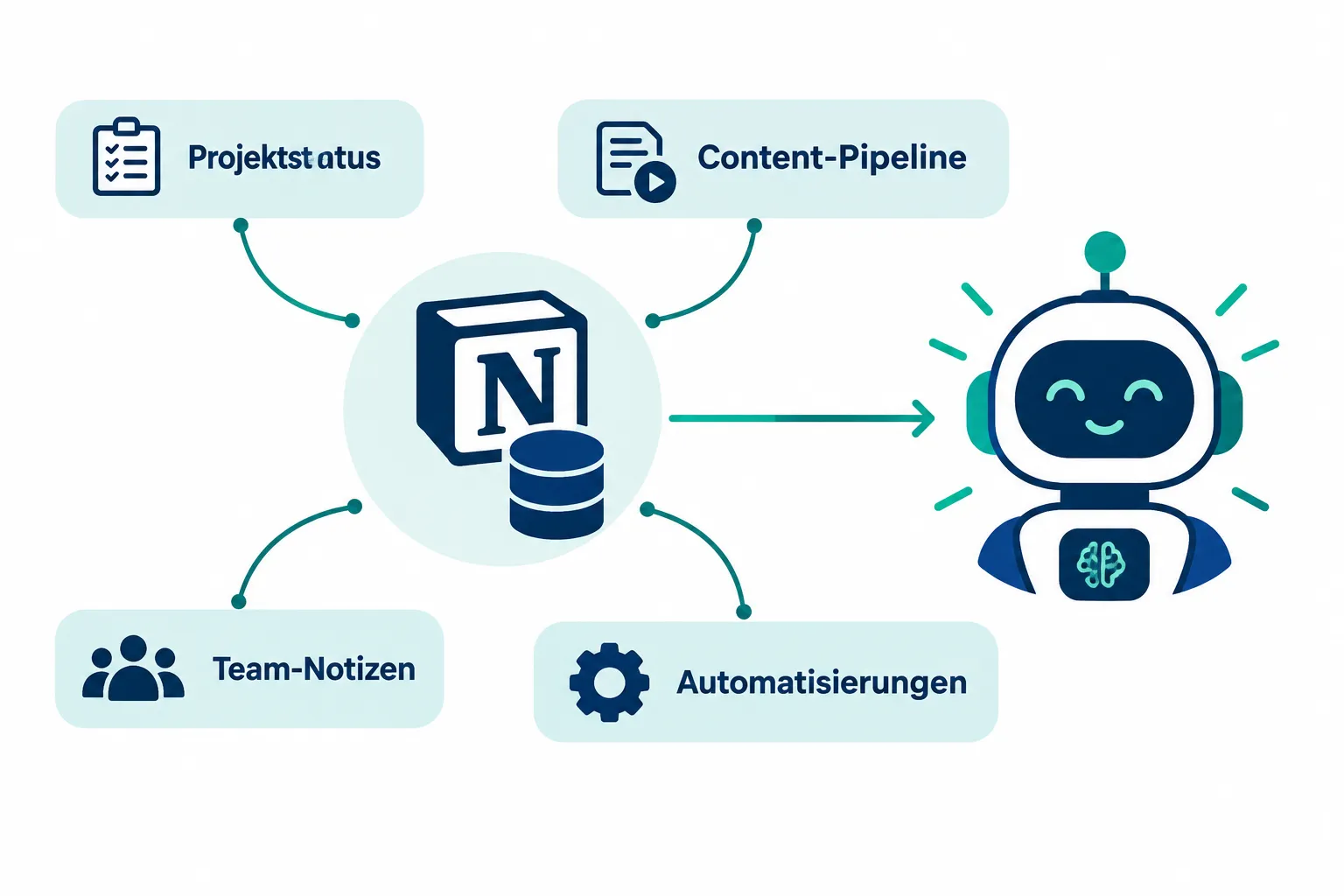
For teams, this means a shift in perspective: Notion is no longer thought of purely as a tool for people, but as a structured interface that machines can understand too. Properties like status, due date, or owner are just as readable for AI systems as they are for team members. Notion itself has been actively driving this development since spring 2026, with its own agent and workflow platform for developers designed to make exactly these kinds of integrations easier. In July 2026, a native calendar tool was added, specifically built for AI agents working in editorial databases, tying scheduling logic directly into automation.
The advantage of this approach: information doesn’t go stale in an isolated chat. It stays centralized, versioned, and equally visible to everyone involved, humans and machines alike.
Notion AI: Summaries, Autofill, and Q&A Briefly Explained
Before diving into external automation, it’s worth a quick look at Notion’s native AI features. They aren’t the focus of this article, but they’re a useful foundation.
- Summaries: Notion AI can condense long pages, meeting notes, or research results down to their key points.
- Autofill: Database fields like tags, categories, or short descriptions can be filled in automatically based on the rest of the page content.
- Q&A: Users can ask questions of a workspace and get answers based on existing Notion content.
These features are handy for day-to-day work, but they don’t replace real automation. Current templates already go a step further, shipping AI-assisted social media captions directly within the editorial calendar, so text snippets for different channels no longer need to be created separately [5][6]. Official Notion templates are also increasingly integrating “AI Notes” helpers for meeting summaries [10]. The real lever for teams, though, lies elsewhere: connecting Notion with external AI agents via the API, agents that independently make decisions and maintain database entries.
The Notion AI Editorial Calendar in Detail: A Real Use Case
The most practical application of AI-powered Notion work is the editorial calendar, also known as a content calendar. The basic idea: a Notion database holds all planned, in-progress, and published content. An AI agent monitors this database and updates it automatically whenever an article’s status changes.
A typical Notion AI editorial calendar consists of three core properties that carry the entire workflow:
| Property | Purpose | Who Updates It |
|---|---|---|
| Status | Planned, In Progress, Review, Published | AI agent after publication |
| Publish Date | Timestamp of going live | AI agent, automatically |
| Channel / Format | Blog, social, newsletter | Editorial team, partly via autofill |
As soon as an article goes live, a script or webhook notifies the agent. The agent reads the matching entry via the Notion API, sets the status to “Published,” fills in the date, and can even add a short summary or the final link. This exact pattern is described in a recent case study from September 2026, in which a fully automated editorial calendar was built using a Notion agent combined with Make [1]. Taskade follows a similar approach with specialized research and writer agents that are integrated directly into Notion workflows [4].
Practice insert: How code404zero.com does it
This workflow isn’t theoretical. The editorial calendar at code404zero.com is actually maintained in Notion, and after every article is published, an AI assistant automatically updates the corresponding fields: status changes to “Published,” the date is set, and open tasks are checked off. No manual upkeep, no forgotten status field. This exact principle, an AI-maintained Notion editorial calendar, is the thread running through this article and, at the same time, lived practice on our own site.
“An editorial calendar is only as useful as its current state. When an AI reliably maintains that state, a list becomes a real steering instrument.”
For teams with multiple channels, it’s also worth connecting to social media tools. Since March 2026, for example, publications from Notion can be automatically posted to social channels via Zapier, including performance data reported back into the same database. Notion’s official editorial calendar template library now offers four free templates with AI-assisted social captions, updated in September 2026, that see high user satisfaction [2][3][5][6][10].
The Notion API as a Docking Point for AI Agents
For a Notion AI editorial calendar to actually work, a technical bridge between Notion and the AI system is needed. That bridge is the Notion API. It allows an agent to:
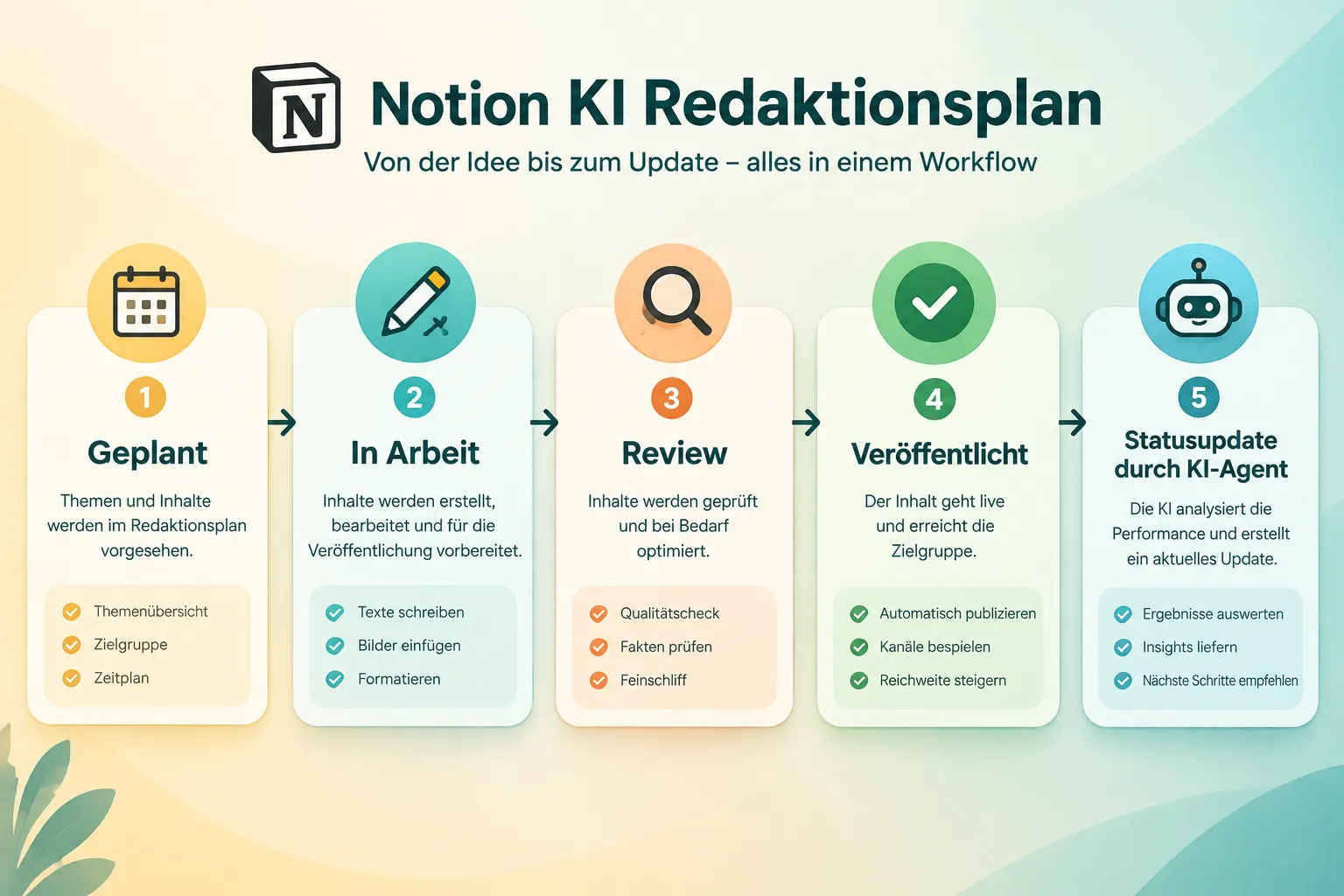
- Read database entries: The agent queries which articles have the status “In Progress.”
- Update properties: Status, date, tags, or note fields are changed via API calls.
- Create new entries: Planned topics are automatically imported from an editorial meeting or an external tool.
- React to webhooks: External events, such as a successful publication in the CMS, trigger an update in Notion.
In practice, automation platforms frequently handle the connection between the trigger and the API call. A recent benchmark comparison from September 2026 puts Zapier, Make, and specialized AI agents for Notion editorial calendars head to head, showing that the right choice depends heavily on complexity and budget [9]. For freelancers and small teams, a guide updated in September 2026 describes a Zapier AI content pipeline that goes from topic discovery all the way to publication, with Notion as the central control center [8].
Notis’s “Second Brain System” also shows how an AI copilot can sync directly with a Notion editorial calendar, connecting content planning with personal knowledge management [7].
Practical Tips for Getting Started with a Notion AI Editorial Calendar
The transition works best in small steps. The following order has proven effective:
- Clarify the database structure first. Name status values clearly: Planned, In Progress, Review, Published. Without a clean structure, every automation attempt fails.
- Start with a template. Official Notion editorial calendar templates already provide sensible base structures, including AI caption fields [2][3][6][10].
- Choose an automation partner. Zapier or Make are well suited for getting started without custom development; a dedicated Notion agent is better for more complex rules [9].
- Start small. Automate just the status change first, before adding date fields, tags, or social posting.
- Document responsibilities. Who checks that the AI updated things correctly? A brief weekly check is usually enough.
This step-by-step approach keeps an overambitious setup from producing more errors than it saves time.
Outlook: What Comes Next
Developments around Notion and AI continue to accelerate. Native agent features, tighter API integrations, and increasingly specialized templates suggest that the Notion AI editorial calendar will operate even more autonomously in the coming months, from topic discovery all the way to measuring success. Teams that get started now gain a practical edge over those still maintaining things manually.
Conclusion
An AI-powered editorial calendar in Notion is no longer a technical feat; it’s a realistic goal for teams of any size. The decisive building block isn’t the flashiest AI feature, but a clean database structure that functions as a reliable memory for both humans and machines. Teams that start with clear status properties, use a fitting template, and use the Notion API as a docking point for automation can gradually automate status upkeep, publication logic, and even social posting. code404zero.com shows with its own editorial calendar that this approach works in everyday practice. The next sensible step: start small, automate the status change, and build out from there.
Anyone who wants to dig deeper into the technical details and build their own integrations will find the right deep dive in part 4 of this series, “Notion API for Developers,” with concrete examples for authentication, endpoints, and custom automation scripts.
References
[1] Notion Ai Calendrier Editorial Automatise 2026 – https://reflex-ia.com/blog/notion-ai-calendrier-editorial-automatise-2026/ [2] Editorial Calendar – https://www.notion.com/pt/templates/editorial-calendar [3] Editorial Calendar – https://www.notion.com/ko/templates/editorial-calendar [4] Notion Content Workflow – https://www.taskade.com/automate/notion/notion-content-workflow [5] Notions Editorial Calendar – https://www.notion.com/templates/notions-editorial-calendar [6] Content Creator Planner Editorial Calendar – https://www.notion.com/templates/content-creator-planner-editorial-calendar [7] Editorial Calendar – https://notis.ai/notion-copilot/templates/editorial-calendar [8] Automated Content Pipeline Freelancers Zapier Notion – https://www.aithemag.com/guides/make-money-with-ai/automated-content-pipeline-freelancers-zapier-notion [9] Notion Automation Tools Comparison – https://cotera.co/articles/notion-automation-tools-comparison [10] Editorial Calendar 907 – https://www.notion.com/templates/editorial-calendar-907
Frequently Asked Questions
What does it mean to use Notion as a "memory" for AI agents?
Project status, tasks, and content sit in structured Notion databases an agent can query anytime, instead of information getting lost in an ephemeral chat history.
How does an AI-driven editorial calendar in Notion work?
A database holds every planned, in-progress, and published piece of content; an AI agent monitors it via the Notion API and automatically updates status and date fields once something goes live.
What three properties typically drive an AI editorial calendar?
Status (Planned, In Progress, Review, Published), Publish Date, and Channel/Format, with the AI agent updating status and date right after publishing.
What role does the Notion API play in this setup?
It's the technical bridge: agents read database entries, update properties, create new entries, and react to webhooks triggered by external events like a CMS publish.