On average, a new hire spends their first two weeks piecing together information that should have been documented somewhere long ago. They ask in the team chat how to get access to the customer portal, dig through old emails looking for the vacation policy, and find three different versions of the onboarding document, each with contradictory details. That exact chaos is why a well-maintained Notion team wiki today is more than a nice-to-have. It is the foundation that keeps knowledge from getting lost inside a company.
The first part of this series covered the basics of getting started with Notion for teams: workspace structure, databases, and the first steps toward a team wiki. This article builds on that and shows how a loose collection of pages turns into a working knowledge system that speeds up onboarding and carries knowledge management through everyday work.
Table of Contents
Key Takeaways
- Failed knowledge management rarely comes down to a lack of will, it comes from scattered tools, missing ownership, and outdated content.
- A Notion team wiki works as a central hub when structure, databases, and links are thought through from the start.
- A clearly organized onboarding wiki with six core pages significantly cuts ramp-up time and repeat questions.
- Relations and rollups connect employee, project, and department data so information never has to be maintained twice.
- Without fixed owners and review cycles, even the best wiki goes stale, maintenance is a process, not a one-time project.
Why knowledge management so often fails in teams
Most teams don’t suffer from too little documentation, they suffer from too much of it spread across too many places. Process descriptions live in Google Docs, access credentials sit in a spreadsheet, team contacts are buried in an email thread, and the actual welcome email from two years ago is somewhere in HR’s inbox. This fragmentation is one of the main reasons internal knowledge work fails despite good intentions.
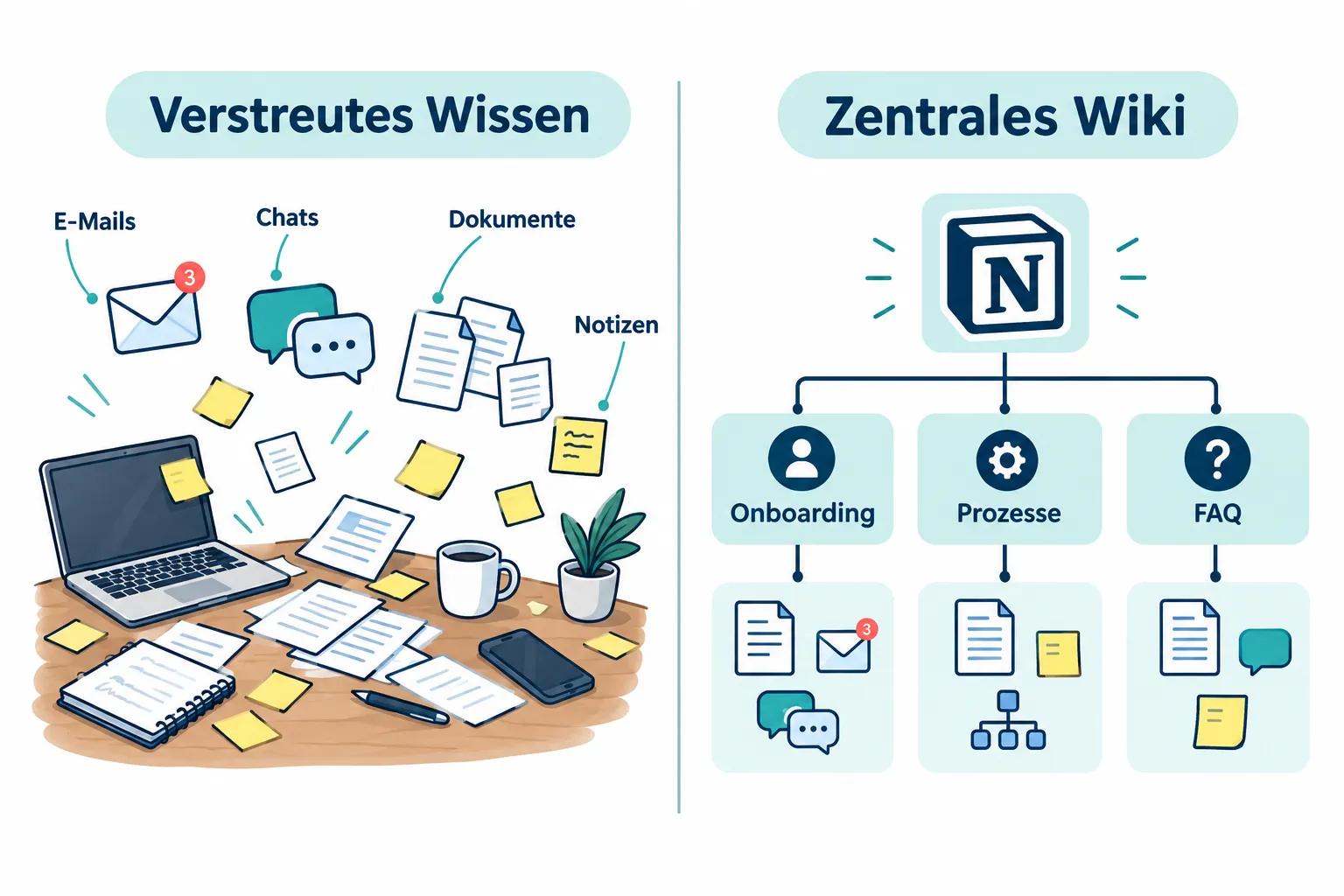
Three patterns keep showing up:
- Scattered documents across different tools. Knowledge exists, but it’s not findable because it’s spread across chat messages, shared folders, and emails.
- Outdated wikis. A wiki gets maintained while it’s new, then gathers dust because no one is explicitly responsible for it.
- Missing ownership. When everyone could theoretically document something, in the end often no one does it systematically.
The result: new hires ask the same questions repeatedly, experienced colleagues turn into unofficial knowledge bases, and process knowledge partially disappears with every staff change. Comparisons between knowledge management tools show that the combination of flexibility and clear structure is decisive for solving this problem [1]. Classic enterprise wikis like Confluence offer strong governance features but are often considered heavier to set up and less flexible for fast-moving teams [2][5].
Notion as a central team wiki: structure that makes knowledge findable
Notion increasingly positions itself as a central corporate knowledge base, complemented by AI features like enterprise search and automated knowledge agents that make information searchable across pages and databases [1]. For teams, that means: instead of spreading knowledge across five tools, a single hub emerges where onboarding documents, FAQ databases, and process documentation coexist, linked, searchable, and clearly organized.
Notion itself uses a comprehensive internal knowledge hub as a model for how a “docs-first” approach can work: documentation isn’t an afterthought, it’s the starting point for every decision and every process. Experts rate Notion favorably for 2026 specifically for this use case, as especially strong for documents, wikis, and onboarding processes, even though classic enterprise wikis still have their place for very strict governance requirements [6][7]. German industry voices often describe Notion in this context as a “connected workspace,” where knowledge and project work aren’t separated but linked together.
In practice, a Notion team wiki works through three building blocks:
- A hub page as the central entry point with links to all key areas.
- Structured subpages for onboarding, processes, and department knowledge.
- Databases for anything that needs to be maintained and filtered repeatedly, such as FAQs, staff directories, or project lists.
Clarity of purpose matters here: before a single page gets created, it should be clear who will use the wiki and for what. Official onboarding guides keep emphasizing exactly this step, system design before page building.
Practical example: building an onboarding wiki with Notion
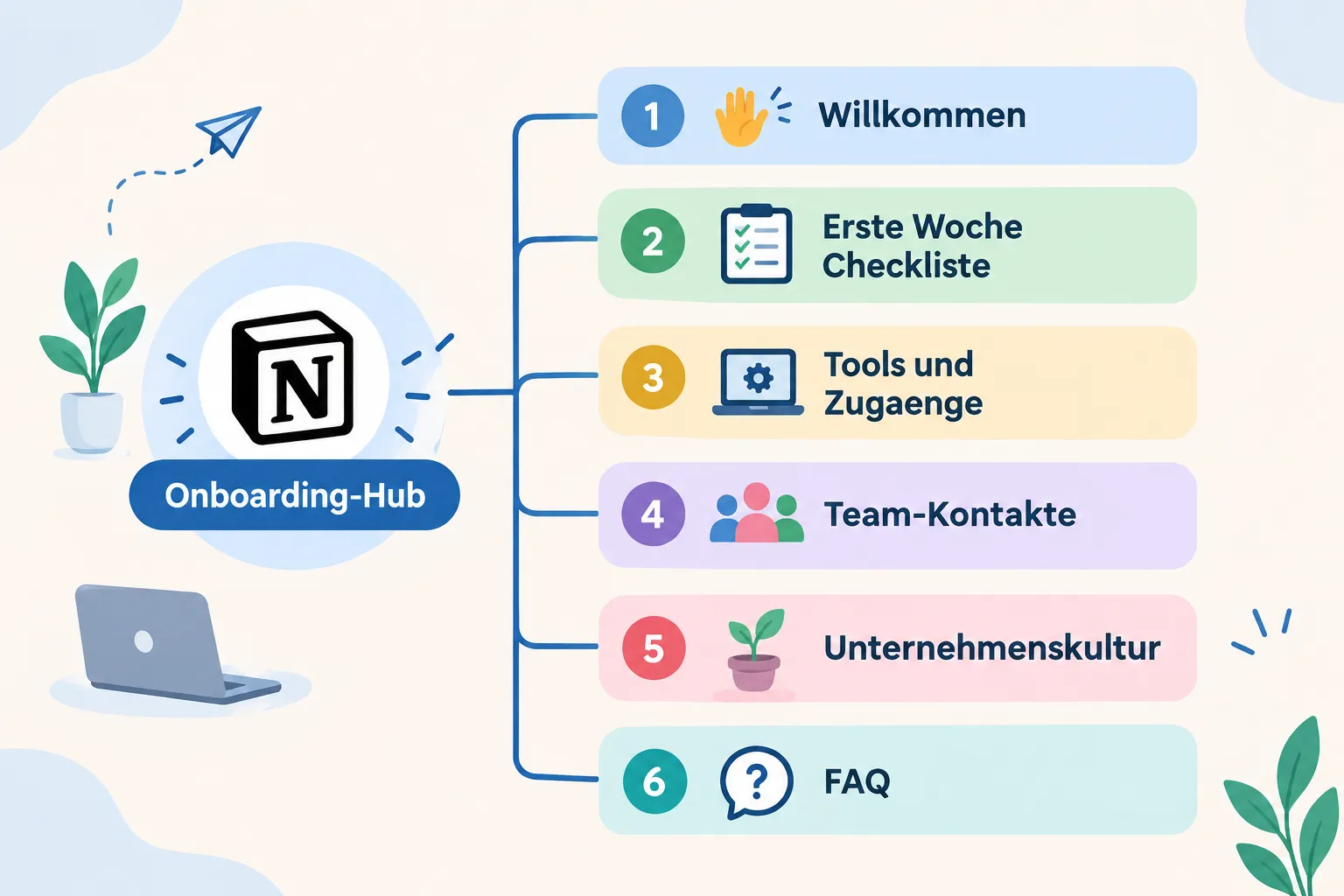
The most concrete use case for a Notion team wiki is onboarding new employees. Instead of a PDF checklist and a loose collection of links, a central onboarding page emerges with clearly defined subpages. A proven structure looks like this:
| Subpage | Purpose |
|---|---|
| Welcome | Brief introduction, key contacts, initial orientation |
| First Week Checklist | Step-by-step tasks with due dates |
| Tools & Access | List of all systems with links and owners responsible for access rights |
| Team Contacts | Who does what, with a photo and short bio |
| Company Culture | Values, communication norms, meeting culture |
| FAQ | Common questions from past onboardings, continuously updated |
This structure works well because it supports the shift from “needing to know everything at once” to “arriving step by step.” The first-week checklist can be set up as a database with a status field, so both the new hire and their manager can see progress. Current wiki and knowledge-base templates speed up this setup considerably, since the basic structure and field types are already provided and nothing has to start from scratch.
An added effect: because FAQ entries come directly from real follow-up questions, the FAQ database grows organically with every new onboarding round, without anyone having to actively “collect knowledge.”
Linking databases: relations and rollups in a Notion team wiki
An onboarding wiki only really becomes powerful once information no longer has to be maintained in multiple places. This is exactly where relations and rollups come in, two features that turn a simple Notion team wiki into a connected knowledge system.
A typical example: a staff directory database holds name, role, department, and start date for every person. Through a relation, this directory gets linked to a projects database and a departments database. That brings concrete benefits:
- A department’s page automatically shows the list of all associated employees, with no manual upkeep required.
- A rollup can, for example, display the number of active projects per person directly in the staff directory.
- New employees can see at a glance which colleagues belong to their team and which projects those colleagues are working on.
In practice, that means: instead of a static contact list, a living directory emerges that updates automatically whenever project assignments change. This approach not only saves maintenance time, it also reduces errors from outdated contact information, a problem that shows up far more often in classic, unlinked wiki systems [3][10].
Best practices for maintaining a Notion team wiki
Building a wiki is the smaller challenge. The real work begins afterward, with maintenance. Market observations show that knowledge base tools are growing strongly, but the actual success factor is rarely the software itself, it’s the discipline of ongoing upkeep [4][8].
The following practices have proven effective:
- Define clear owners. Every main page or area, for example “Onboarding,” “HR Processes,” “Product Documentation,” needs a named person responsible for keeping it current. Without an owner, maintenance stays a vague “someone should probably do that.”
- Schedule regular review cycles. A quarterly check is often enough to catch outdated content. What matters is a fixed date on the calendar, not a vague intention.
- Flag outdated content instead of deleting it. A simple banner like “Last reviewed: Q1 2026, please update” signals to readers that caution is warranted, without removing the information outright.
- Archive instead of delete. Old process documents should move into a clearly marked archive area rather than being deleted, so historical knowledge stays traceable.
- Build in feedback loops. A simple “Was this page helpful?” field at the bottom of a page helps surface gaps before they become a problem.
A wiki nobody maintains is worse than no wiki at all, it creates false confidence in outdated information.
These best practices aren’t a one-time task, they’re a recurring process that should be part of team routine just like sprint planning or team meetings.
Looking ahead to part 3 of the series
A well-structured Notion team wiki lays the groundwork for efficient onboarding and organized knowledge management. The next logical step is the question of how teams build on that to organize their day-to-day collaboration, from task distribution to project status to team communication, directly inside Notion. That’s exactly what part 3 of this series covers.
Conclusion
A Notion team wiki doesn’t solve a problem just by existing. It works when three things come together: a thoughtful structure that answers the real questions new employees have, linked databases that make duplicate maintenance unnecessary, and fixed responsibilities that keep content current. Anyone starting an onboarding wiki today should start small, with the six core pages Welcome, Checklist, Tools & Access, Team Contacts, Company Culture, and FAQ, and grow it step by step into a complete knowledge system. The next sensible move: assign an owner per area and put the first review date on the calendar this week.
References
[1] 76 Comparison Of Knowledge Management Tools – https://digitalmarket.world/content-en/success-stories/76_comparison-of-knowledge-management-tools.html
[2] Notion Vs Confluence – https://xwiki.com/en/Blog/notion-vs-confluence/
[3] Confluence Vs Notion – https://www.nuclino.com/solutions/confluence-vs-notion
[4] Personal Knowledge Management Software Market – https://dataintelo.com/report/personal-knowledge-management-software-market
[5] Confluence Wiki Comparison – https://potapov.me/en/make/confluence-wiki-comparison
[6] Notion Vs Confluence – https://www.automationlabz.com/compare/notion-vs-confluence
[7] Notion Vs Confluence – https://www.gend.co/blog/notion-vs-confluence
[8] Knowledge Base And Wiki Software – https://parse.gl/markets/enterprise-software/knowledge-base-and-wiki-software
[9] Note Taking Statistics – https://tools8020.com/blog/note-taking-statistics/
[10] Notion Vs Confluence – https://fabric.so/comparison/notion-vs-confluence
Frequently Asked Questions
Why does knowledge management fail in many teams?
Usually not from lack of effort, but from documents scattered across tools, wikis that go stale after launch, and no clear owner responsible for keeping content current.
What core pages make up a solid onboarding wiki in Notion?
Six pages: Welcome, First-Week Checklist, Tools & Access, Team Contacts, Company Culture, and an FAQ section.
What do Relations and Rollups add to a Notion team wiki?
They link databases together, for example a team directory with projects and departments, so figures like each person's number of active projects update automatically instead of being maintained twice.
How do you keep a Notion wiki from going out of date?
With a named owner per section, regular review cycles, flagging outdated content instead of deleting it, and simple feedback prompts like a "was this page helpful?" field.