Three out of four people trying ChatGPT, Claude, or Gemini for the first time type their request in a single short sentence — and end up disappointed with the answer. The problem is rarely the tool. It’s almost always the question. That’s exactly where prompt engineering for beginners comes in: it’s the skill of giving an AI instructions precise enough that it delivers exactly what you need on the first or second try.
This guide builds on our beginner’s guide to ChatGPT, Claude, and Co. and shows you step by step how to write better prompts, no prior knowledge required. You’ll learn concrete techniques, see before-and-after examples, and avoid the typical beginner mistakes that slow so many users down.
Table of Contents
Key Takeaways
- Prompt engineering for beginners is mainly about: defining a clear task, context, and success criteria before you hit send [1].
- Roles, examples (few-shot), and step-by-step instructions measurably improve answer quality more than long rule lists [4].
- A defined output format saves rework and makes answers immediately usable.
- Iterative refinement — improving prompts step by step — is normal and part of the process, not a failure.
- Short, precise prompts beat complicated phrasing almost every time: “clarity over complexity” applies to beginners too [2][6].
What exactly is prompt engineering for beginners?
Prompt engineering is the deliberate crafting of instructions for an AI language model in order to get the most fitting answer possible. The AI knows nothing about your situation or your expectations — it only reacts to what you tell it. A vague prompt leads to a vague answer; a precise prompt leads to a precise result.
Ready to go further? Our article Fine-Tuning vs. Prompt Engineering: Is Training Your Own AI Model Worth It? covers the next step. If you haven’t covered the basics of AI language models yet, start with our guide AI for Beginners: Your First Steps with ChatGPT, Claude, and More.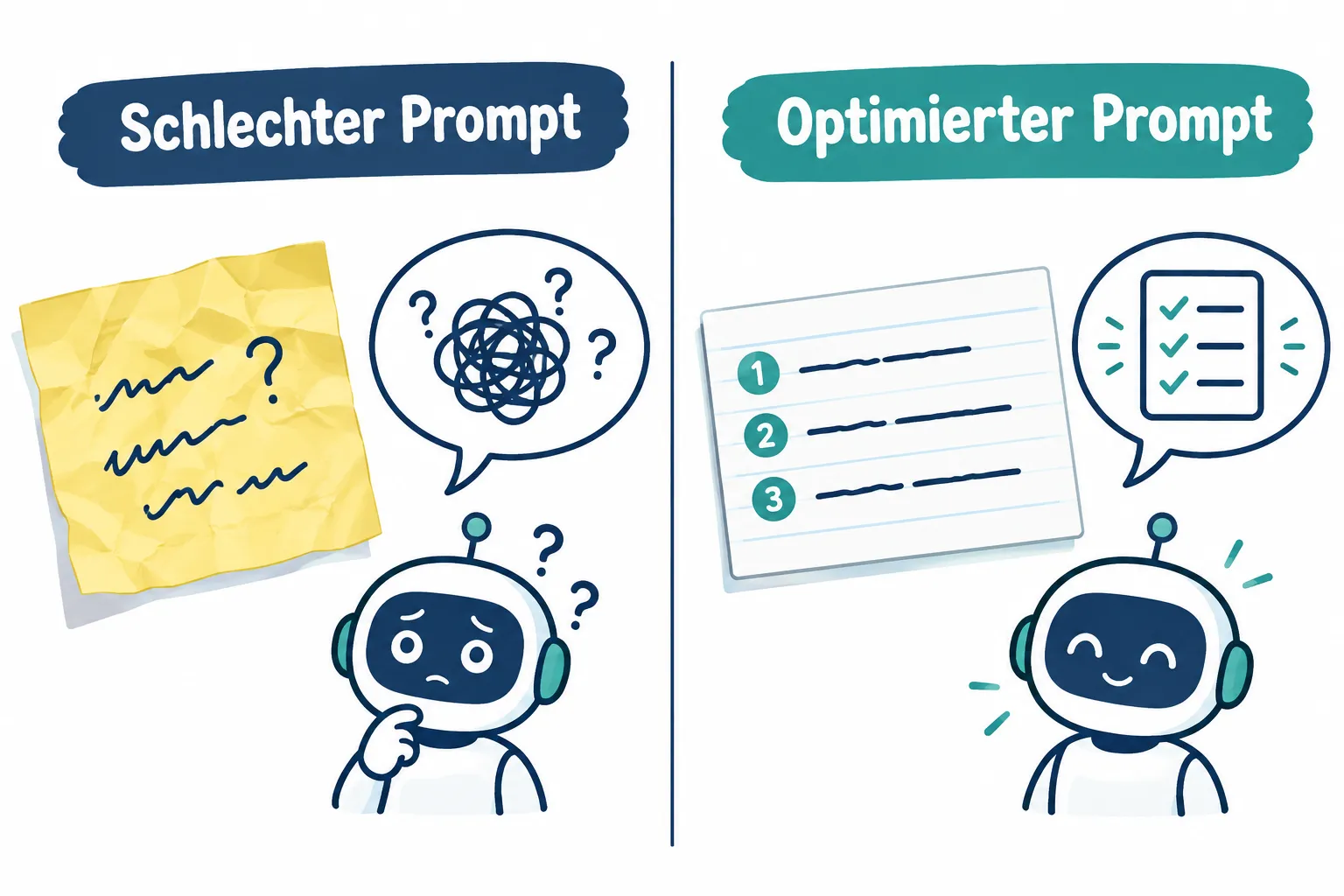
For beginners, that’s good news: prompt engineering isn’t programming. It’s more like giving a good briefing to a new employee — the clearer the task and the more concrete the success criteria, the better the result [1][3]. Anyone who understands how language models “think” can get noticeably better results from ChatGPT, Claude, and Gemini using the same tools, without investing more time.
Giving context: the foundation of good AI answers
The most common mistake is a prompt without background. The AI can’t read your mind — it needs information about the situation, the audience, and the purpose.
Weak prompt: “Write me an email.”
Optimized prompt: “Write a friendly but firm email to a customer who hasn’t paid an invoice in 30 days. Goal: get payment within 7 days without damaging the business relationship. Length: max 150 words.”
The second prompt provides context (who, why), a goal (payment within 7 days), and a constraint (tone, length). This exact combination of task and success criteria is the core of prompt engineering for beginners [1].
Assigning a role or persona
Language models adapt their style and expertise when you assign them a role. This works like a short character description placed before the actual question, similar to a system prompt that acts as an “operating manual” for the conversation [2][9].
Weak prompt: “Explain inflation to me.”
Optimized prompt: “You are an economics teacher at a vocational school. Explain to a 16-year-old apprentice with no prior knowledge, in simple terms, what inflation is and why it affects wages. Use an everyday example.”
The role assignment controls tone, level of detail, and word choice all at once, with a single extra sentence.
Few-shot prompting: showing what you want with examples
Instead of listing long rules, it often works better to show one or two concrete examples. This is called few-shot prompting, and it’s considered one of the most reliable techniques of all: a few good examples beat long rule lists [4][10].
Weak prompt: “Write product descriptions for my online shop.”
Optimized prompt: “Write product descriptions in the following style. Example: ‘Waterproof hiking jacket, keeps you dry even when the sky isn’t on your side. Light, breathable, ready for any trail.’ Now write a description for a thermos flask in the same style.”
The example shows tone, sentence length, and structure — the AI adopts the pattern for new products.
Giving step-by-step instructions
Complex tasks should be broken down into smaller steps. This technique is called chain-of-thought, and it helps the AI proceed logically instead of answering hastily [4][8].
Weak prompt: “Plan a marketing campaign for me.”
Optimized prompt: “Help me plan a marketing campaign. Proceed in this order: 1) Define the target audience. 2) Suggest three channels. 3) Develop a short message for each channel. 4) Provide a realistic 4-week timeline.”
Breaking the task into steps forces the AI to think in a structured way — the result is significantly more usable than a generic answer.
Defining the desired format
Without instructions, the AI decides on its own how the answer looks, often as one long block of text. Specifying the format saves time on rework. Structured formats like tables, lists, or even JSON are especially helpful when the answer needs to be processed further [4][7].

| Situation | Recommended format |
|---|---|
| Comparing several options | Table |
| Checklist or task list | Numbered list |
| Data for a program | JSON structure |
| Summarizing a text | Three to five bullet points |
Weak prompt: “Compare three laptop models.”
Optimized prompt: “Compare three laptop models in a table with the columns: model, battery life, weight, use case. Max one sentence per cell.”
Iteratively refining prompts
The first prompt is rarely perfect, and that’s completely normal. Prompt engineering for beginners also means evaluating answers and refining the prompt in a targeted way, rather than starting from scratch [5][10].
A simple process for this:
- Send the first prompt and read the answer.
- Identify specifically what’s missing or wrong.
- Send that feedback directly as a follow-up prompt, for example: “The answer is too long. Shorten it to 100 words and cut the jargon.”
- For recurring tasks, save the final prompt and reuse it — over time this builds your own prompt library, similar to a versioned tool [3].
Anyone who systematically tests which phrasing works better, instead of relying on gut feeling, achieves more consistent results in the long run [5].
Common beginner mistakes in prompt engineering
Most disappointing answers come from recurring patterns. The following mistakes are easy to avoid:
- Being too vague: “Make this better” gives no direction. Better: specify exactly what should change.
- Cramming too many tasks into one prompt: Ask five questions at once and you’ll often get five half-finished answers. Ask tasks one at a time or number them clearly.
- Not stating a goal: Without a success criterion, the AI doesn’t know when an answer is “good.”
- Mixing up context: When several topics get tangled in one chat thread, the AI loses track. Starting new topics in a new chat and keeping context separate helps avoid unwanted mixing [7].
- Being careless with sensitive data: Don’t paste confidential information into a prompt unnecessarily, especially when pasting content from external sources — this also limits the risk of prompt injection [7][9].
- Accepting the first answer unchecked: Even good prompts don’t always produce a perfect answer. Always double-check results briefly.
Practical tips for everyday use with ChatGPT, Claude, and Gemini
The core techniques work similarly across all major AI chatbots, even though there are small differences in how each one is used.
- Long documents: State the important information first, since the context window is limited. Paste the relevant excerpts instead of uploading entire documents unstructured [9].
- Recurring tasks: Save proven prompts as templates and tweak them as needed — this saves time and delivers more consistent results.
- Creative tasks: Ask for multiple variants, for example “Give me three different phrasing options,” then pick the best one.
- Technical tasks: For complex topics, ask for a brief explanation of the reasoning — this increases the traceability of the answer [8].
- Practice regularly: Prompt engineering is a skill that improves with practice. Every improved answer is a small learning moment for your next prompt.
Conclusion: the first step toward better AI answers
Prompt engineering for beginners isn’t a complicated science — it’s a mindset: state things clearly, provide context, show examples, and refine results deliberately. Apply these six techniques — context, role, few-shot, step-by-step, format, and iteration — consistently, and you’ll get noticeably better answers from ChatGPT, Claude, and Gemini, no technical background required.
The next step is simple: take a prompt you used recently and add context, a goal, and a desired format. Compare the new answer to the old one — the difference will be obvious immediately.
References
[1] Prompt Engineering Guide – https://techsy.io/en/blog/prompt-engineering-guide [2] Prompt Engineering Best Practices 2026 – https://thomas-wiegold.com/blog/prompt-engineering-best-practices-2026/ [3] Prompt Engineering Best Practices 2026 – https://jobsbyculture.com/blog/prompt-engineering-best-practices-2026 [4] Prompt Engineering Best Practices 2026 – https://promptbuilder.cc/blog/prompt-engineering-best-practices-2026 [5] Ai Prompt Engineering Best Practices 2026 – https://vincony.com/resources/ai-prompt-engineering-best-practices-2026 [6] Prompt Engineering Guide 2026 – https://tech-insider.org/au/prompt-engineering-guide-2026/ [7] Prompt Engineering Best Practices 2026 – https://www.growthstack.dev/blog/prompt-engineering-best-practices-2026 [8] Prompt Engineering In 2026 What Still Matters – https://www.learnersink.com/blog/prompt-engineering-in-2026-what-still-matters [9] Prompt Engineering Best Practices 2026 – https://ai.blocksize.hr/blog/en/prompt-engineering-best-practices-2026.html [10] Effective Prompt Engineering Maximize Llm Performance – https://futureagi.com/blog/effective-prompt-engineering-maximize-llm-performance/
Frequently Asked Questions
What is prompt engineering in simple terms?
Prompt engineering is the skill of wording requests to an AI so it produces precise, useful answers. It means giving clear context, a role, and a desired format.
What is few-shot prompting?
Few-shot prompting means giving the AI one or more examples of the answer you want before asking your actual question, helping it match your desired style and format.
What mistakes do beginners commonly make when prompting?
Common mistakes include short, vague requests with no context, skipping a clear role instruction, and not refining the prompt iteratively when the first answer misses the mark.
How do I fix an AI answer that isn't quite right?
Refine your prompt step by step: add more context, include examples, or point out specifically what was wrong with the previous answer.